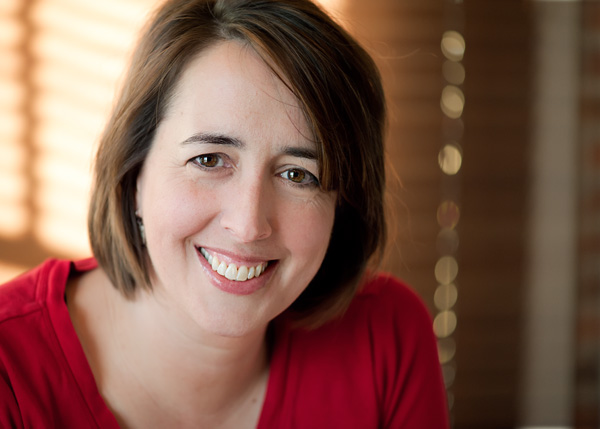
My name is Amanda and here are some things to know about me….
- I have four children, ages 15 to 8.
- I homeschool all of them (yes, I am slightly crazy).
- I am not supermom; I fail at many things.
- I am happily married to a stubborn but loving husband who is very supportive of Everyday Elements.
- I live in a large, renovated farm house in the country (in other words we battle mice).
- I keep sane by photography, reading, my wonderful sisters and prayer to my Lord in Heaven.
My mother (who passed away in 1993) was an amazing amateur photographer and photography was something I thought I’d like to pick up “one day.” After my father died in 2009, I realized if I didn’t make it happen now, that “one day” might never come. So, I bought my first DSLR, the Nikon D60, and began my photography journey!
How did Everyday Elements come about?
In short I got pretty handy at Photoshop Elements and after receiving many questions on how I did this or that I decided to start Everyday Elements to help others learn it too.
Because so many people ask…..
How do I do it all? Answer – I have help and lots of it.
- I am blessed with a husband who supports my business.
- l have a virtual assistant, Tara, who posts new content to Facebook (I answer all questions though).
- I invest in mentors and coaches via MomBiz Coach and MomBiz Retreat so that I am working smarter and not harder.
- I am blessed with a wonderful business partner of sorts, Laura from Pretty Presets, who graciously allows me to be a part of her business via the Lightroom workshops.
- I have wonderful blogging friends, Rita at Coffeeshop and Cheryl at Tidymom, who support and encourage me.
And, I want to make it clear that having your own business involves lots of sacrifices. I get little time to myself, seldom watch TV and work almost every day. However, having the opportunity to make a difference in the lives of other women, and to help them have an easier time with their camera and editing program, makes it worth it (mostly LOL).
What most photography enthusiasts want to know – what is in my camera bag?
- Nikon D700
- Nikon 24mm f2.8
- Nikon 50mm f1.4G
- Nikon AF-S 60mm f/2.8G
- Nikon AF 85mm f/1.8D Lens
- Tamron 70-200mm f2.8
- Nikon SB-900 speed flash
- Canon 50D
- Canon 85mm f1.8
- Canon G12 – for making photography video tutorials
- Epiphanie Ginger in brown
- Thinktank Airport Airstream – it does fit under the seat on airplanes!
- Lastolite 8-in-1 reflector – yes, it is worth the money
- Impact 20″ five-in-one reflector
- Impact 45″ five-in-one reflector
What keeps Everyday Elements running each month:
- iPhone 5 – really don’t know how I lived without it now
- Custom-built PC desktop – my workhorse computer, built to handle lots of programs running simultaneously
- Camtasia (both Mac and PC versions) to record workshops and tutorials
- Macbook Air 13″ – to be able to help Mac customers
- Photoshop Elements 15
- Creative Cloud
- Datacolor Spyder 5 Express to keep my monitor colors right
- Adobe Photoshop CS6 for PC – for making actions that will work in PSE
- Adobe Creative Cloud for Macbook (and soon to install on PC as well)
- Logitech Webcam– for workshops and video tutorials
- Dell projector – for in-person group workshops
- Dropbox – how I share images and documents between my PC and Macbook Air, as well as iPad/iPhone and computers
- Go To Meeting – online conference program
- Screencast – where I store my videos online
- e-junkie – what I use for check-out process and digital downloads
- MailChimp – monthly newsletter provider
- EE Blog contributors – Beckie Kengle and Andrea Thomas