Pin It Ever stumble across a little thing that is both affordable and enjoyable/useful? When I do, I get so giddy it’s ridiculous. 😉 Today I am talking about one such item: the Kingston card reader. For a LONG time I used the USB cord that came with my camera to upload pictures from my […]
Simple Color Pop in Photoshop
February 16, 2012 by 16 Comments

Pin It One request I see so often on message boards is how to get a good “color pop.” Many people enjoy bold, rich colors in their photos and often feel the only to get them with with actions. While actions can certainly make it easier to create the effect, the steps to make it […]
Blog Collage for Past Picnik Users
February 13, 2012 by 17 Comments

Pin It For those who are not on Facebook and do not know why I’ve been absent – I became sick the Friday before last with a terrible cold that laid me out for over a week. But, I’m feeling better and now am trying to dig my way out from the pile of work […]
Save Time by Organizing Your Computer Desktop
January 30, 2012 by 9 Comments

Pin It This post might seem very elementary, but really, there are many, many out there who don’t have a good organizational system on their computers and they spend time just trying to find what they want. I have done many private workshops and often when I see their desktop, I realize right away where […]
Free Add Haze Action for Photoshop and PSE
January 28, 2012 by 32 Comments

Pin It Earlier this week I did a tutorial on how to add haze to an image in Photoshop Elements (and Photoshop) and mentioned that I would be releasing an action that does just that. So….here you go….. Add Haze. 😉 No confusion in what it does, right? The action offers six different color hazes […]
Step by Step Clean Edit Tutorial {with picture for practice}
January 27, 2012 by 4 Comments

Rock the Shot, a wonderful photography forum, has asked me back again to provide a lesson on clean editing. I decided to teach a few of the ways Levels can be a blessing to your workflow, and five of the seven edits are done with just Levels! To see the tutorial, with video, and download […]
How to Add a Haze to Pictures in PSE
January 26, 2012 by 5 Comments

Recently there were some questions on Everyday Element’s Facebook page about how to add a haze to an image. I had added a haze to a beach shot of this lovely subject, and while it is not something I do very often, it can be fun to play with and very simple to do. First, […]
Add a Color Logo to Your Images in PSE
January 24, 2012 by 14 Comments

Just recently I received two requests asking me to explain how to get a color logo on an image. The PSE/PS users had made watermark brushes with their logos, but when you make the logo a brush, it can only be applied as one color; you lose the specific colors in the logo. First things […]
Creating Albums in Photoshop Elements Organizer
January 23, 2012 by 20 Comments
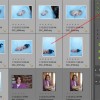
Due to some excellent questions about exceeding memory and moving images, I will do a follow to this post on Wednesday. Okay, so you’ve been clipping along, learning tons about editing in Photoshop Elements, but how does your file management look? If you wanted to find a particular image from last year, could you do […]
Savannah Retreat 2012
January 20, 2012 by 1 Comment

I have been missing-in-action this past week because I have been working double-time to stay on top of homeschooling, housework, business stuff and kids’ activities after being gone almost four days last weekend. I went down to Savannah, Georgia to meet up with seven photography friends, whom I got together with last year also. Thanks […]