There are three parts to the infamous “Exposure Triangle:” ISO, shutter speed and aperture. Today I’m talking about ISO, which is how sensitive to light you are telling your camera to be. The lower the ISO, the less sensitive to light you are telling your camera to be, the higher the ISO, the more sensitive […]
Free Photoshop Elements Action Giveaway ~ Celebrating the EE Facebook Community
January 8, 2011 by 32 Comments

***Editing to add that this action was a gift to Facebook and blog readers but has since been removed as a free action. It is now available as part of the Coast to Coast Action Set, a set of 14 creative actions. *** Have you been to Everyday Elements’ Facebook fan page? It is a […]
Installing Actions in Photoshop Elements 6 – 10
January 7, 2011 by 87 Comments

If you have Photoshop Elements 11 or 12, go to the tutorial to see how to install actions. If you have Photoshop CS, see this tutorial. ******************************************** Installing actions can seem like a very daunting task, but really it is very easy once you have done it a couple of times. I hope this post […]
Creating Textures in Photoshop Elements
January 5, 2011 by 16 Comments
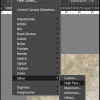
Ever wonder how the beautiful textures you see in the photography world are made? Some are pictures of actual textures like rust on a building, or wood from a barn, linen from a dress, etc. Others are just a compilation of brushes and colors, blend modes and more. My post today addresses the later approach. […]
Installing Custom Brushes in Photoshop Elements
December 29, 2010 by 14 Comments
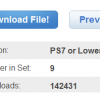
Once you have settled into using Photoshop Elements, you will eventually want to start creating new things like cards, textures, watermarks, blog graphics, etc. A wonderful tool to use when doing that is a custom brush. Today’s tutorial walks you through how to download, save and load custom brushes. The steps shown below are from […]
Photoshop Elements Templates and Textures Christmas Giveaway
December 26, 2010 by 10 Comments
Merry Christmas to everyone (late)! I had hoped to get this out to you Christmas Eve, but I had family coming to stay and with cleaning preparations, cooking and last minute shopping, I just could not find time to get the post done. The giveaway is two downloads, good for both Photoshop Elements and Photoshop: […]
Everyday Elements Gift Certificates
December 18, 2010 by 1 Comment
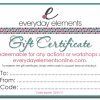
If you would like to purchase a gift certificate for someone (or send someone here to buy for you), click the “Add to Cart” button above and change the amount to whatever you would like. Once I get notification of the purchase, you will be sent the above image to print, along with a coupon […]
Photo Editing With I Heart Faces
December 18, 2010 by 11 Comments
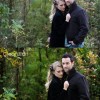
It’s Friday again, which for many in the online photog world means Fix It Friday time with I Heart Faces. This week’s image was provided by a friend of mine, Michelle Johnson of Love That Shot. She did a great job taking the shot and as with all pictures that are “right” coming from the […]
How To Use The Liquify Tool In Photoshop Elements
December 14, 2010 by 20 Comments
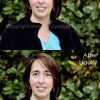
I have had many requests for a tutorial on how to use the liquify tool in Photoshop Elements. I must admit that I do not use that tool very much but for certain images it can be beneficial. Say you took pictures of someone who is not that happy with their weight and they ask […]
National Gingerbread House Competition {and low-light photography tips}
December 9, 2010 by 22 Comments
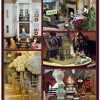
This past Monday I went to the National Gingerbread House Competition exhibit at Grove Park Inn, in Asheville, NC. This was an event I had watched on satellite at my in-laws the past few years and this year I was determined to make it up there to see the works-of-art myself. I cannot tell you […]