GIVEAWAY IS CLOSED. Thank you to all who entered and for the wonderful love and support you showed to Kim! Love you all! Winner 1, comment #177 was Marcee. Winner 2, comment #61 was Kim. Winner 3, comment #528 was Kathy G. Winner 4, comment #363 was Jacqueline. Today I have a real treat […]
A Walk in The Woods With My Husband
March 14, 2011 by 4 Comments

We live on an farm with a fair amount of land, and yesterday my husband drug me out to go tromping through some of it with him. Of course, I toted along my camera and captured a few shots. As we were walking, a few thoughts went through my mind…. Wish I had brought a […]
Learn to Use Levels in Photoshop Elements
March 12, 2011 by 55 Comments
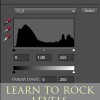
Pin It One of the most powerful, useful and probably overlooked tools in Photoshop and Photoshop Elements is Levels. It isn’t a “tool” exactly, rather an adjustment that can be used as an adjustment layer or as an adjustment on a duplicate layer. The slightly more powerful brother to Levels is Curves, which is only […]
How to Make a Before and After Collage in Photoshop Elements
March 8, 2011 by 8 Comments
A question I frequently get asked is how to make a simple before and after collage, so that people can show their SOOC (straight out of the camera) image next to their edited version of the same image. It is not a hard thing to do, so I thought a quick tutorial would be the […]
Facebook Celebration – Giveaway Extravaganza
March 5, 2011 by 146 Comments

THIS GIVEAWAY IS CLOSED. Grand prize winner is Sarah, #71, from Everyday Inspirations. Runner up is Robin, #119, winner of the Baby Clean action. Khimberly from Snaptastic Shots Photography contacted me a few weeks ago and asked if I could host a big giveaway celebration when she reached 1500 fans on Facebook. I thought […]
Troubleshooting Problems With Photoshop Elements
March 3, 2011 by 14 Comments
Recently I had my first “Fix It” session, where I helped various Photoshop Elements users work through technical problems they were having with their PSE. We had a lot of fun and I am going to make it a monthly event. Soon a date will be set for the next one, a “buy now” button […]
Rock the Shot! New Forum For Photographers
February 27, 2011 by 41 Comments
I am so excited to announce the grand opening of Rock the Shot, a new forum for enthusiastic photographers!! The reason I am so excited is because one of my good friends, Laura Thomas from Pretty Presets, is one of the co-founders. This forum is going to help you ROCK your photography and editing […]
Create a Sunny Glow in Photoshop Elements {and free action}
February 26, 2011 by 6 Comments
Over the on the Everyday Samples page I have several actions, some cleaning, some creative and a few finishing (wonder what the heck am I talking about, see my explanation of types of actions). One of the top favorites there used to be the Florida action, one that creates a bright, sunny effect for your […]
Fix It Friday {with textures}
February 25, 2011 by 12 Comments

Remember in my review of Florabella’s recent texture set (and giveaway) that I said I used to be seriously addicted to textures, but that I had learned moderation? Well, that new set I have in my hands has made me fall off the texture-wagon. With today’s I Heart Faces Fix It Friday image, I new […]
Create a Watermark Brush in Photoshop Elements
February 24, 2011 by 117 Comments
Pin It Regardless of your status as amateur or professional photography, regardless of the type of camera you have, point and shoot or DSLR, if you are sharing images on the Internet, you should watermark them. Really. Doing this is super simple and you do not need to pay someone big money to create a […]